Tmux
tmux is a terminal multiplexer tool
Installation
Launch
this will open a new tmux window with a footer at bottom.
Detaching from tmux Session
Press CTRL+B to enter tmux command mode then press 'd' to detach from that window and back to normal terminal.
By using this we can run multiple processes at once.
Going back to Most Recent Session
List all running Sessions
or
Exiting
type exit on that session to exit from that
or Go to command mode then press x then press y.
Detaching from tmux Session
go to command mode and then press D to detach from the session.
Vertically Split tmux Panes
- Go to command mode by pressing CTRL+B then press
%
Horizontally Split tmux Panes
- Go to command mode by pressing CTRL+B then press
"
Change Focus Between Multiple tmux Panes
Press left, right, top, bottom arrow keys to move focus to left, right, top and bottom panes respectively.
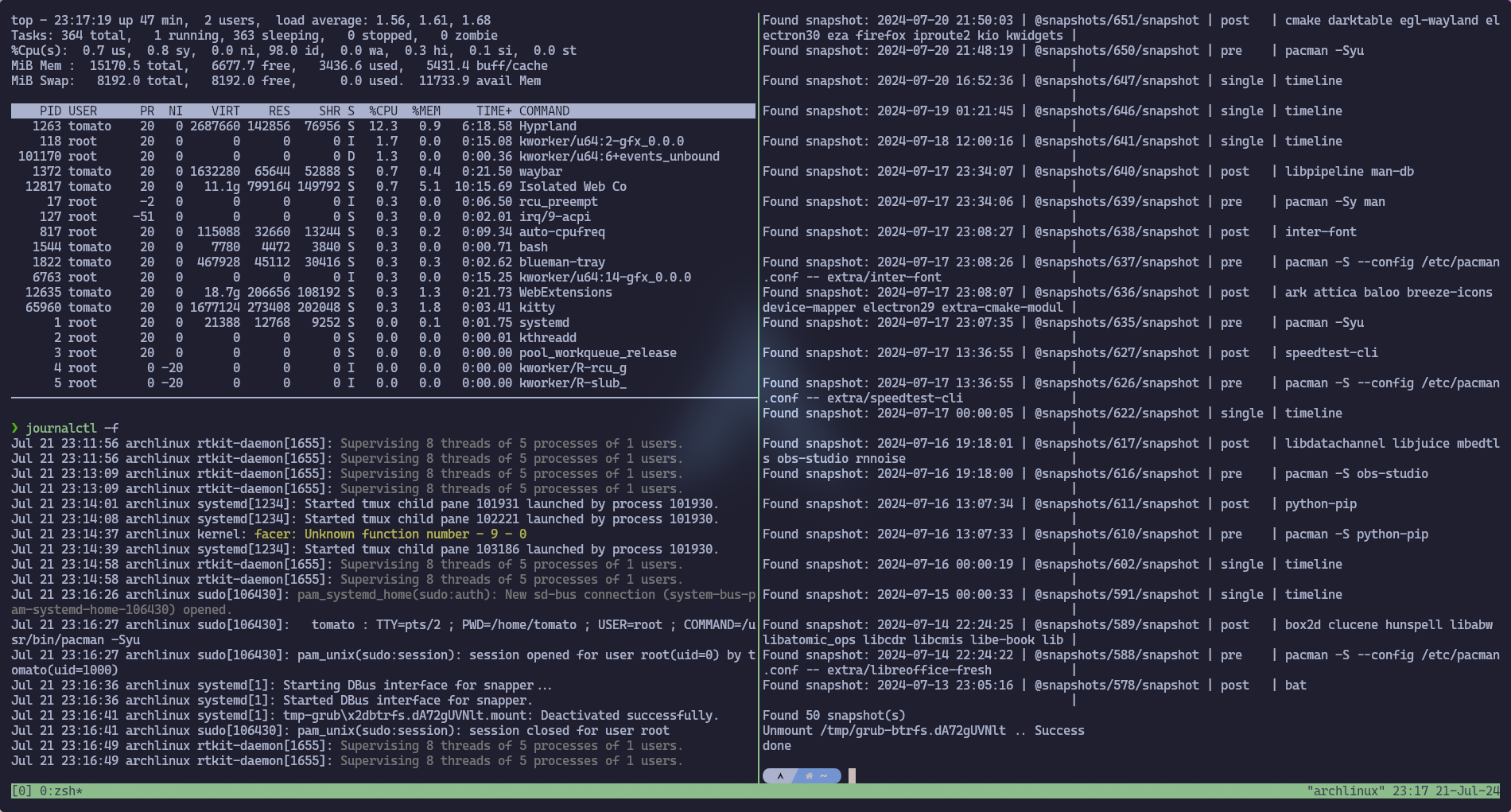
Create a New Window in tmux
or
Press leader key then c to create a new window.
Navigation Between Windows
Press n or p followed by leader key to navigate to next and previous window.
Killing a Tmux Window
Press & followed by leader key to kill the active window.
Or
in that window you want to kill.
Renaming Tmux Window
Press , followed by leader key to rename a window.
Or
Renaming Session
Press $ followed by leader key to rename a session.